Moodle has a new Activity/Resource called PDF Annotation:
What is the PDF Annotation tool?
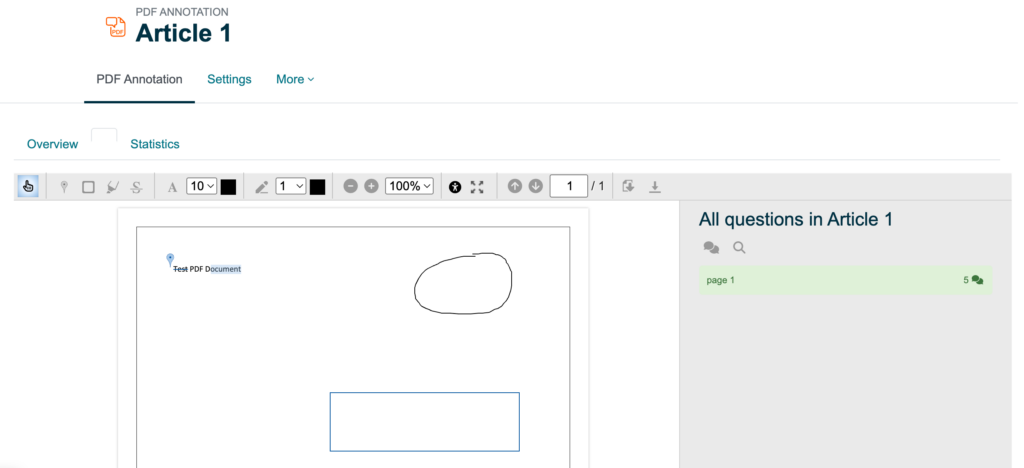
The PDF Annotation tool in Moodle allows you to upload a PDF file for students to add text-based comments for their peers, draw on the document, write personal notes for themselves, and write private comments to the instructor.
Why use it?
This tools provides students with a way to analyze specific course material with their peers. Students can post comments and questions directly to the PDF resource where they can see their peer’s interpretations of the course material too. This helps broaden their understanding of the content through social learning.
Frequently Asked Questions
The following video (6 minutes) showcases the functionality of this tool from the student perspective:
The following video (2 minutes) provides a brief overview of the settings and how they appear for students using the tool:
No, grading cannot be set up within this activity. As an alternative, you can set up a manual column in the gradebook where you can enter grades for this activity.
The typical group function (in the settings under the “common module settings” heading), does not work with this tool. An alternative is to create multiple versions and set restrictions. For example, you can create:
1. First, create a separate PDF Annotation activity/resource for each group. For example, you might create an “Article 1 (Group 1)” activity, an “Article 1 (Group 2)” activity, an “Article 1 (Group 3)” activity, etc.
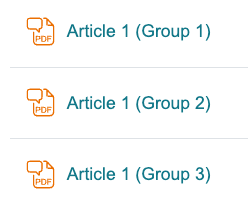
2. Then, create groups for the students. For example, you may create a “Group 1” with 4-5 students, a “Group 2” with 4-5 students, a “Group 3” with 4-5 students, etc.
3. Finally, in the settings of the PDF Annotation tool, you would restrict the access for a specific group. You would need to repeat this for each PDF Annotation activity/resource.
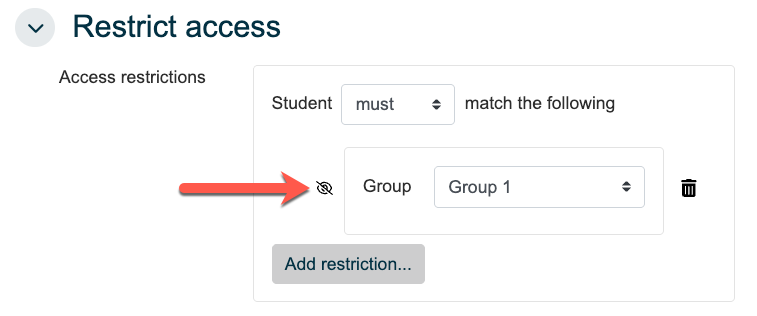
Note: Be sure the eye icon is crossed out when setting the restriction (see the arrow in the above screenshot). This means the groups that students aren’t part of will be hidden from their view.
For example, in the following screenshot, the “Article 1 (Group 1)” activity is restricted to only Group 1 members and the “Article 1 (Group 2)” activity is restricted to only Group 2 members.
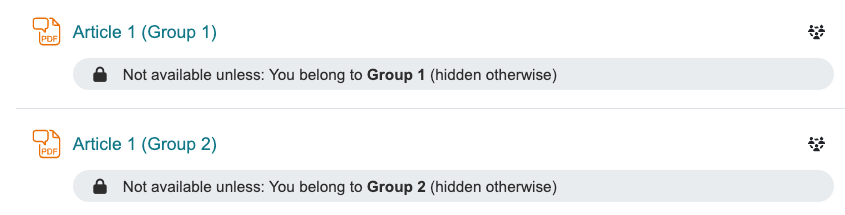
As the instructor, you would see all PDF Annotation activities/resources but students would only see the one they have access to.
We developed a separate PDF Annotation (Students) page that can be shared with students using the PDF Annotation tool in Moodle. It showcases the different functions and answers some common questions they may have.